


Mixxx is one of the most popular free DJ software programs in the world. As an open-source application, it offers powerful features such as beatmatching, EQ control, hot cues, looping, and recording - without requiring a paid license. At the same time, SoundCloud has become a vital platform for DJs, producers, and independent artists, offering millions of tracks, remixes, and underground releases that are often unavailable on mainstream streaming services.
Because of this, many DJs naturally want to use SoundCloud with Mixxx. However, questions frequently arise: Does Mixxx support SoundCloud? Can you stream SoundCloud directly in Mixxx? This article answers all of these questions in depth and provides practical, legal ways to mix SoundCloud music in Mixxx, especially for offline DJ use.
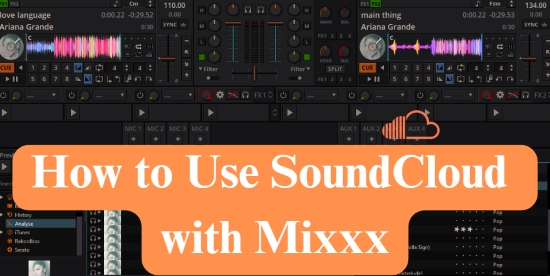

Part 1. Can Mixxx work with SoundCloud?
Before exploring methods, it's important to clarify one core question: does Mixxx support SoundCloud natively?
Does Mixxx Support SoundCloud Integration?
The short answer is no. At the time of writing, Mixxx does not offer native SoundCloud streaming integration. Unlike some commercial DJ software platforms, Mixxx cannot log in to a SoundCloud account, access SoundCloud playlists, or stream tracks directly from SoundCloud's servers.
This is not a technical limitation of Mixxx itself, but rather a result of SoundCloud's licensing and API restrictions. SoundCloud tightly controls how its music can be streamed and integrated into third-party software, especially for DJ performance.
As a result, DJs often encounter issues summarized by the common complaint: SoundCloud not working in Mixxx. In reality, SoundCloud is not 'broken' in Mixxx - it is simply unsupported by design because Mixxx, being open-source, does not have the necessary commercial license to access the high-quality streaming API from SoundCloud.
Currently, the only DJ applications compatible with SoundCloud's DJ extension service (SoundCloud Go+) are commercial platforms such as djay, Serato DJ, rekordbox, Virtual DJ, and Traktor DJ.
SoundCloud's Original Encrypted Format vs Mixxx-Supported Formats
Another key reason why SoundCloud cannot work directly with Mixxx is audio encryption and file format.
Most SoundCloud tracks, especially those streamed through the SoundCloud website or app, are delivered in encrypted AAC or MP3-based streaming formats. These streams are protected by SoundCloud's platform rules and are not provided as standalone audio files that third-party software like Mixxx can decode or cache for DJ use.
Mixxx is designed only to load and analyze local, unencrypted audio files. The table below highlights this format discrepancy:
| SoundCloud Original Encrypted Format | Mixxx-Supported Format |
|---|---|
| Protected AAC or MP3 | FLAC, WAV, AIFF, MP3, Ogg Vorbis, AAC, Opus |
Mixxx requires these compatible files to be stored locally. However, since SoundCloud streaming does not provide downloadable, unencrypted files by default, the only way for Mixxx to read SoundCloud music is if you first obtain the necessary compatible audio files legally (for example, tracks made available for direct download by the artist).
This fundamental mismatch explains why Mixxx SoundCloud integration is not currently feasible in the same way as with some paid DJ platforms.
Part 2. How to Use SoundCloud Tracks with Mixxx (Offline Method)
Although Mixxx does not support streaming, there are still legitimate offline methods to download SoundCloud songs for Mixxx and mix them like any other local files. Below are two realistic methods DJs use.
Method 1. Use SoundCloud Songs That Artists Allow to Download (Official Way)
SoundCloud is unique in that many artists enable a Download option for their tracks. These downloads are explicitly provided by the creators and are usually offered in MP3 or WAV format.
How to Use Downloadable SoundCloud Tracks in Mixxx
This is the cleanest and most transparent way to use SoundCloud with Mixxx. Because the files are DRM-free and artist-approved, Mixxx can handle them exactly like music purchased from an online store.
Step 1. Log in to your SoundCloud account via a web browser, and find tracks with downloads enabled.

Step 2. Click the Download button to save the audio file to your computer.
Step 3. Open Mixxx and add the folder containing the downloaded files to your library.

Step 4. Start DJ mixing as usual.
Limitations of This Method
• Not all SoundCloud tracks allow downloads, and often limited to promotional or independent releases
• File quality depends on the uploader
• No batch download for playlists
Although this method is easy and legal, it does not support streaming your entire curated SoundCloud playlists. Despite this limitation, it is an excellent solution for DJs who primarily focus on mixing underground, indie, or promotional tracks that are often available for direct download.
Method 2. Using AudFree Streaming Audio Recorder (Offline Preparation)
For DJs who need broader access to SoundCloud for offline practice or set preparation, tools like AudFree Streaming Audio Recorder are reliable to use. This type of software is designed to capture streaming audio from platforms like SoundCloud, Spotify, Tidal, etc., and save it in formats such as MP3, WAV, FLAC, or AIFF - formats fully supported by Mixxx.
⚠️ Warning: It is important to note that this approach is typically intended for personal DJ practice, offline preparation, or educational use, and users should always respect local copyright laws and SoundCloud's terms of service.
AudFree Streaming Audio Recorder

- Select Mixxx-compatible formats (WAV, MP3, FLAC, etc.) as output
- Download SoundCloud tracks with clean, lossless audio quality for professional mixing in Mixxx
- Batch download entire SoundCloud albums or playlists at high speeds (up to 65X)
- Retain original ID3 tags and metadata for easy library organization
How to Download and Use SoundCloud Songs in Mixxx Using AudFree Tool
- Step 1. Prepare AudFree Streaming Audio Recorder

- Download and install AudFree Streaming Audio Recorder on your PC. Launch the application, you will see several music streaming platforms on the home screen, such as SoundCloud, Spotify, Apple Music , and more.
Ensure you activate your AudFree license to enable all features of this tool.
- Step 2. Configure SoundCloud Output Settings for Mixxx DJ

- Click the Menu icon > Preferences > Conversion. Here, you can configure the output format for optimal performance in Mixxx. First, select your preferred audio format (for example, converting SoundCloud tracks to MP3). Then, adjust key parameters such as the bitrate (up to 320 kbps), sample rate, and audio channels as needed. Under the Output tab, choose your desired local destination folder and enable the ID3 tag to retain track metadata.
- View also:
How to Convert SoundCloud to FLAC
How to Convert SoundCloud to WAV
- Step 3. Add SoundCloud Tracks to Conversion List

- Click the SoundCloud icon in the main AudFree window and sign in to your account. Navigate to your desired tracks, playlists, or albums, and then click the distinctive green '+' icon to add them to the conversion queue.
- Step 4. Convert and Locate DRM-Free Files

- Press the Convert button to begin the downloading process. Once the conversion is complete, navigate to the Converted section to locate your downloaded, DRM-free audio files in your computer.
- Step 5. Import Converted SoundCloud Tracks to Mixxx DJ

- Finally, you can sync your local SoundCloud tracks with the Mixxx DJ application:
• Method A (Direct Import): In Mixxx, navigate to 'File' > 'Load Track to Deck 1/2/3/4' to import tracks individually, and begin mixing.
• Method B (Automated Sync - Recommended): Upload the downloaded SoundCloud tracks to your iTunes/Apple Music library first. Since Mixxx automatically syncs with iTunes playlists, you can then easily browse all your tracks within Mixxx's library browser for seamless mixing.
Bonus Tip: Recommended SoundCloud Formats for Mixxx
- MP3 (320kbps): Best balance of high quality and small file size.
- WAV/AIFF: Highest possible quality, resulting in larger storage requirements.
- FLAC: Lossless compressed format, ideal for archiving.
Part 3. Benefits and Limitations of Using SoundCloud with Mixxx Offline
Understanding the benefits and limitations of using SoundCloud with Mixxx helps DJs choose the right workflow.
Benefits of SoundCloud Mixing in Mixxx
✅ Free and Open-Source DJ Software
Mixxx is completely free, making it ideal for beginners or budget-conscious DJs.
✅ Offline Stability
Once SoundCloud tracks are stored locally, Mixxx performs reliably without buffering, login issues, or internet dependency.
✅ Full DJ Control
Unlike streaming-based DJ apps, offline SoundCloud tracks allow:
• Accurate beatgrids
• Advanced looping
• Hot cues and samples
• Controller mapping
• ...
✅ Broad Music Access
SoundCloud offers edits, bootlegs, and independent tracks rarely found elsewhere, making it a valuable source for DJ libraries.
✅ Flexible File Management
You can organize SoundCloud tracks into crates, playlists, or external drives.
Limitations of DJing with SoundCloud on Mixxx
❌ No Native Streaming
Mixxx SoundCloud integration does not exist, meaning no live access to new tracks.
❌ Manual File Management
Tracks must be downloaded, stored, and organized locally.
❌ Not Ideal for Discovery-Based DJs
If your workflow depends on instant access to millions of tracks, Mixxx may feel restrictive.
❌ Legal Considerations
Not all SoundCloud content is licensed for public performance or redistribution. DJs must ensure they comply with SoundCloud's terms and local copyright regulations.
Part 4. FAQs about Mixing SoundCloud in Mixxx
Is It Legal to Use SoundCloud Music in Mixxx?
It depends on the track and usage. Tracks explicitly allowed for download by artists are generally safe for personal DJ use. Recording or converting streaming-only tracks should be limited to personal use and must comply with local copyright laws. Please be cautious when using them.
Do I Need SoundCloud Go+ to Use SoundCloud with Mixxx?
No, a SoundCloud Go+ plan does not enable Mixxx integration. Since SoundCloud does not allow Mixxx to access its streaming API, even a Go+ subscription won't permit direct track streaming into the software. However, if you are using an offline method to DJ with tracks from the Go+ catalog, you will need a Go+ plan to download those songs legally and convert them into a Mixxx-compatible file.
Can Mixxx Read SoundCloud Metadata Correctly?
Yes, provided the downloaded file contains proper ID3 tags. When downloading SoundCloud tracks, using a tool like AudFree Streaming Audio Recorder (or similar converters) can preserve the full ID3 tag information. This ensures better organization and seamless sorting of your SoundCloud tracks within the Mixxx library.
Is Mixxx Good for Beginner DJs Using SoundCloud?
Yes, Mixxx is a great choice for beginners who want free software and are comfortable preparing and mixing tracks offline. However, beginners who prioritize streaming access may find alternatives more suitable. Commercial applications like Serato DJ, rekordbox, and Virtual DJ support direct SoundCloud streaming via the DJ extension service (SoundCloud Go+).
Conclusion
While Mixxx SoundCloud integration does not exist in the form of direct streaming, Mixxx remains a powerful DJ solution for those willing to work offline. By understanding SoundCloud's encryption limits and Mixxx's supported formats, DJs can prepare tracks effectively and enjoy full creative control.
Ultimately, the best workflow depends on your DJ style. With the right preparation, it is entirely possible to use SoundCloud with Mixxx and deliver high-quality DJ mixes without compromise.

Staff Editor


