


If you're trying to decide where to park your monthly subscription fee, you're not alone. Both Apple Music and YouTube Music have grown into powerhouses, but they offer very different vibes. One feels like a premium record store, while the other feels like an infinite underground club. I've broken down the essentials, from the sound quality to the actual cost, so you can stop comparing and start listening. Let's dive in and find your perfect match.
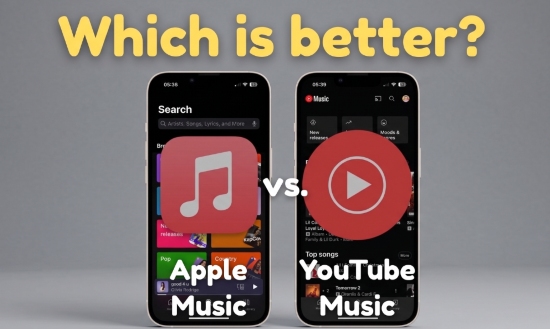

Apple Music vs YouTube Music: Quick Overview
Apple Music Overview
Apple Music is Apple's flagship music service, deeply integrated into iOS, macOS, and Apple Watch. Known for its expertly curated playlists and exclusive artist releases, it sets the standard for high-fidelity listening with Lossless Audio and Dolby Atmos support.
Launched in 2015 as the successor to the iconic iTunes Music (which revolutionized the industry in 2003 with its 99-cent-per-song model), Apple Music has transitioned into a subscription powerhouse. Today, it offers an ad-free library of over 100 million songs. While the focus is now on streaming, users can still purchase individual tracks via the iTunes Store.

As of 2026, Apple Music continues to be a global leader with about 100 million subscribers worldwide.
YouTube Music Overview
YouTube Music, owned by Google, leverages the world's largest video ecosystem to offer a listening experience that goes far beyond official studio tracks. By integrating YouTube's massive database, the platform provides access to a "hidden library" of live performances, fan covers, and rare remixes that simply aren't available elsewhere.

Originally released in October 2015, YouTube Music was designed from the ground up as a dedicated companion for YouTube's most active users. Things changed on May 22, 2018. At that time, the platform was significantly relaunched and rebranded. It moved from being a simple companion app to Google's flagship music streaming service, eventually placing Google Play Music.
As of early 2026, YouTube Music has surpassed 125 million subscribers globally. It currently offers a massive catalog of over 100 million tracks across more than 100 countries and territories. You can also choose the free tier to access the full music library at a lower audio quality of up to 128kbps, if you don't mind the reduced sound quality and ads. It's a game-changer for casual listeners, especially those into covers and remixes, offering a full-access free tier that makes music discovery easier than ever.
Now, YouTube Music has evolved into a unique hybrid where users can instantly switch between high-quality audio and official music videos with a single tap.
YouTube Music initially operated alongside Google Play Music for several years. However, to unify its audio strategy, Google officially retired Google Play Music in December 2020. Before the final shutdown, Google released a dedicated transfer tool in May 2020, allowing users to move their cloud-stored MP3s and playlists (purchased songs), directly into YouTube Music. Today, YouTube Music remains the only platform that allows you to upload and stream your own local files (up to 100,000 tracks) for free in the cloud.
Quick Comparsion: Apple Music vs YouTube Music
To see how these two giants stack up at a glance, check out the comparison table below for a side-by-side look at their core features.
| Feature | Apple Music | YouTube Music |
|---|---|---|
| Launch Year | 2015 (2003) | 2018 (2015) |
| Music Library | 100M+ tracks (Exclusive content) | 100M+ tracks (80M+ official + user uploads) |
| Max Audio Quality | 24-bit/192kHz ALAC (Lossless) | 256kbps AAC (Compressed) |
| Spatial Audio | ✅ (Dolby Atmos) | ❌ |
| Free Tier | ❌ | ✅ (Ad-supported) |
| Discovery & Curations | Human-curated playlists & AI-driven mixes | Video history & YouTube viral trends |
| Offline Mode | Mobile & Desktop (iCloud) | Mobile & Desktop (YouTube Cloud) |
| Social Sharing | Playlist sharing & friend activity feed | Video sharing & integrated YouTube comments |
| Subscription Pricing (Individual/Family/Student) | $10.99/$16.99/$5.99 | $11.99/$18.99/$5.99 |
| Free Trial | 1-3 months | 1 month |
| Artist Compensation | ~$0.007-$0.01/stream | ~$0.0003-0.015/stream |
| Ecosystem | Strong Apple Integration | Strong Google/Web Integration |
| Available Countries | 165+ | 100+ |
- All prices listed in USD.
Quick Summary
• Apple Music: iOS-focused, curated playlists, high-quality audio.
• YouTube Music: Video + audio content, massive catalog including unofficial tracks, cross-platform friendly.
Aspect 1. Apple Music vs YouTube Music: Music Library & Exclusive Content
When it comes to the most important factor - the music catalog - both Apple Music and YouTube Music offer access to massive libraries with over 100 million tracks. However, the listening experience and content focus of each platform are quite different.
Apple Music Library
Apple Music stands out for its premium and highly curated music experience. The platform offers more than 100 million songs, including exclusive releases from major artists, professionally curated playlists, and live radio stations such as Apple Music 1.
In addition to mainstream music, Apple Music also focuses heavily on editorial content and artist promotion, making it ideal for users who prefer polished recommendations and high-quality official releases.
Key highlights include:
- Over 100 million officially licensed tracks
- Professionally curated playlists for moods, genres, and activities
- Exclusive album releases and early-access content from top artists
- Live radio stations like Apple Music 1, Apple Music Hits, and Apple Music Country
- Support for music videos, lyrics, podcasts, and audiobooks in selected regions
These stations host exclusive interviews and shows led by global stars like Zane Lowe and various guest artists.
Some albums and tracks may remain Apple Music exclusives for a limited time before appearing on other streaming platforms.
YouTube Music Library
YouTube Music takes a different approach by emphasizing variety and community-driven content. While its official music catalog is slightly smaller, its biggest strength lies in its connection to YouTube's enormous video ecosystem.
Besides official tracks and albums, users can also access live performances, covers, remixes, fan uploads, DJ sets, rare recordings, and niche music content that may not be available on traditional streaming services.
Key highlights include:
- Over 80+ official songs plus countless user-uploaded music videos
- Access to live performances, remixes, covers, and rare recordings
- Massive music video library integrated with YouTube
- Better variety for niche, international, and unofficial content
- Free tier available with ad-supported streaming
Compared with Apple Music, YouTube Music places less focus on exclusive releases but offers far greater flexibility and diversity as the world's largest repository of unique performances, especially for users who enjoy discovering unofficial or hard-to-find content.
Music Library Comparison
| Feature | Apple Music | YouTube Music |
|---|---|---|
| Official Tracks | 100M+ | 80M+ |
| Unofficial Content | Limited (Mainly official remixes) | Extensive (Covers, live, fan uploads) |
| Catalog | Over 100 million | Over 100 million |
| Exclusive Content | High (Radio shows, live sessions) | Low (Focuses on video variety) |
| Best For | Audiophiles & Radio fans | Live performance & Remix lovers |
✨Winner: Even
Apple Music wins for exclusives and curated content. YouTube Music excels in variety and rare recordings.
Aspect 2. YouTube Music vs Apple Music: Audio Quality
Sound quality is the widest gap between YouTube Music and Apple Music. Below is the breakdown of the two on audio quality.
By offering ALAC (Apple Lossless Audio Codec) and Spatial Audio, Apple Music clearly outperforms YouTube Music in terms of technical fidelity. For standard quality, the online stream maintains a stable bitrate between 128 kbps and 256 kbps AAC. However, for audiophiles, the service supports high-resolution audio up to 24-bit/192 kHz (9216 kbps) - though accessing this peak performance requires an external DAC.
There is a notable difference in how Apple Music performs across platforms. The Web Player is locked at a stable 256kbps AAC, whereas the Native Apps (iOS, Android, macOS, Windows) allow you to toggle the full 24-bit/192kHz Lossless experience.
In contrast, YouTube Music caps its audio quality at 256 kbps AAC (or OPUS), which falls significantly short of lossless standards. While this may be a limitation for audiophiles, many users find it acceptable, especially given the platform's free, ad-supported tier. Streaming quality typically ranges from 48 kbps to 256 kbps, though Premium subscribers can lock their settings to "Always High" to ensure a consistent 256 kbps bitrate.
And here is a table about Apple Music vs YouTube Music sound quality:
| Quality Tier | Apple Music | YouTube Music |
|---|---|---|
| Level 1 | 256kbps AAC (High Quality) | 48kbps HE-AAC (Low) |
| Level 2 | 24-bit/48 kHz ALAC (Lossless) | 128kbps AAC (Normal) |
| Level 3 | 24-bit/192 kHz ALAC (Hi-Res Lossless: DAC required) | 256kbps AAC (Always High) |
✨Winner: Apple Music
Apple Music is the clear winner for audio fidelity. Its lowest "High Quality" setting is roughly equivalent to YouTube Music's maximum output, and its Lossless tiers offer a level of detail that YouTube Music simply does not provide.
Want to keep your lossless Apple Music library on your local storage forever? You can use a specialized tool like AudFree Apple Music Converter to make it. This software allows you to batch-download your entire library at 13x speeds while maintaining lossless fidelity (up to 24-bit/192kHz). Furthermore, like the ALAC, it offers more lossless formats, including FLAC, WAV, and AIFF, giving flexibility to convert your tracks into various high-quality formats.
Aspect 3. Apple Music vs YouTube Music: Music Discovery & Recommendation Algorithm
When it comes to music discovery, Apple Music and YouTube Music take very different approaches. Apple Music focuses more on human curation and editorial recommendations, while YouTube Music relies heavily on algorithms, listening behavior, YouTube activity, and viral trends to surface new content.
Music Discovery on Apple Music
Apple Music's recommendation system is built around a more curated and polished listening experience. Unlike competitors that rely almost entirely on code, Apple employs global editorial teams to handcraft flagship playlists like Today's Hits and New Music Daily. While it still uses AI-based personalization, its biggest strength lies in professionally curated playlists, radio stations, and editor-selected content.
The platform gradually learns your listening habits through likes, skips, library activity, and favorite artists to generate personalized mixes and recommendations. Features like 'New Music Mix', 'Favorites Mix', and 'Discovery Station' help users explore songs in a more controlled and refined way.
In addition, live radio stations such as Apple Music 1 offer artist interviews, curated shows, and music commentary that feel closer to traditional radio experiences.
Key highlights include:
- Strong human-curated playlists and editorial recommendations
- Personalized mixes based on listening habits
- Discovery Station for exploring new artists and genres
- Premium radio experience with Apple Music 1
- Cleaner and more organized ecommendation interface
Music Discovery on YouTube Music
YouTube Music is far more algorithm-driven and excels at personalized music discovery. Because it is deeply connected with YouTube's massive video ecosystem, the platform can recommend songs based not only on your music listening history, but also your YouTube searches, watched videos, trending topics, and viral content.
This makes YouTube Music especially effective at surfacing niche tracks, remixes, live performances, independent artists, and regional music trends that may never appear on traditional streaming services.
Its recommendation engine adapts quickly to mood changes and listening behavior, making the homepage feel highly dynamic and personalized.
Key highlights include:
- Powerful AI-driven recommendation algorithm
- Recommendations based on both YouTube and music activity
- Excellent discovery of viral songs and niche content
- Better support for remixes, live recordings, and fan uploads
- Dynamic homepage with constantly updated suggestions
✨ Winner: Even
For pure music discovery and recommendation accuracy, YouTube Music generally performs better thanks to Google's powerful recommendation algorithm and YouTube integration. However, if you prefer a more curated, polished, and less chaotic listening experience, Apple Music may feel more refined and intentional.
Aspect 4. YouTube Music vs Apple Music: User Experience & Device Compatibility
As music streaming services continue to evolve in 2026, user experience and cross-device compatibility have become more important than ever. Modern users expect smooth playback, intuitive interfaces, cloud syncing, and seamless listening across phones, computers, smart speakers, TVs, cars, and wearables.
While both YouTube Music and Apple Music support multi-device playback, they deliver very different experiences in terms of interface design, ecosystem integration, and daily usability.
YouTube Music UX & Device Compatibility
User Experience
YouTube Music offers a fast, highly personalized, and content-rich experience. The interface is heavily driven by recommendations, trending videos, playlists, and algorithm-based suggestions. While this makes music discovery more dynamic, some users may find the UI slightly cluttered compared to Apple Music's cleaner layout.
For free users, ads can occasionally interrupt playback and affect the listening experience. However, the platform performs very well in terms of responsiveness, with fast loading speeds and smooth navigation across devices.
One standout feature is the ability to switch instantly between audio and video playback with a single tap, making YouTube Music especially attractive for users who frequently watch live performances, music videos, or visual content.
Key UX advantages include:
- Fast and responsive interface
- Excellent recommendation personalization
- Seamless switching between music and video
- Strong integration with YouTube trends and content
- Flexible cloud-based music uploads (up to 100,000 tracks)
Device Compatibility
YouTube Music works smoothly across almost all major platforms and devices, including:
- Windows and Mac
- Android and iPhone
- Web browsers
- Smart TVs
- Wear OS watches
- Smart speakers and car systems
The service performs especially well on Android and Google-based devices. However, the experience on iOS and macOS is generally less optimized compared to Apple Music.
Another useful feature is YouTube Music's cloud upload function, which allows users to upload local audio files to their personal music library for streaming across devices.
Due to DRM protection, downloaded songs from YouTube Music are restricted within the app ecosystem. If you want to save YouTube Music tracks as local audio files for permanent offline playback across devices, tools like AudFree Streaming Audio Recorder can help convert songs into open formats such as MP3, FLAC, or WAV. This "all-in-one" solution can capture high-quality audio from YouTube Music, Apple Music, Spotify, and so on (10+).
Apple Music UX & Device Compatibility
User Experience
Apple Music is widely recognized for its clean, elegant, and minimalist interface. The app focuses more on album artwork, curated playlists, lyrics, and organized music browsing, creating a premium and distraction-free listening environment.
Unlike YouTube Music, Apple Music contains no ads and offers a more polished visual experience overall. Features like synchronized lyrics, animated artwork, and Apple Music Sing further enhance the entertainment experience by turning the app into a karaoke-style music platform.
In terms of responsiveness, however, Apple Music may show a slight loading delay (roughly 1-2 seconds) after testing, especially when starting a high-resolution stream, compared to the near-instant playback of YouTube Music's compressed files.
Key UX advantages include
- Elegant and minimalist interface
- Ad-free premium listening experience
- Beautiful album artwork and lyric integration
- Apple Music Sing karaoke feature
- Consistent design across Apple devices
Device Compatibility
Apple Music is deeply integrated into the Apple ecosystem, making it one of the best choices for users with multiple Apple devices. It works seamlessly with:
- iPhone and iPad
- Mac and Apple TV
- Apple Watch
- HomePod
- CarPlay
- AirPlay 2-enabled devices
Through iCloud syncing and AirPlay 2, users can easily continue playback across devices or stream music wirelessly throughout their home.
At the same time, Apple Music is also available on: Android phones, Windows PCs, Smart TVs, Amazon Echo devices, Google Nest speakers, Sonos systems, PlayStation 5, and more. For example, once configured, voice assistants like Siri and Alexa can seamlessly control Apple Music playback on smart speakers such as the Amazon Echo.
However, for Android and Windows users, the experience may not feel as optimized or deeply integrated as it does within Apple's ecosystem.
For users who want broader compatibility and permanent backups, converting Apple Music tracks into standard audio formats with tools like AudFree can provide more flexible playback across devices and offline storage options.
✨ Winner: Even
If you are deeply invested in the Apple ecosystem, Apple Music delivers the smoother, cleaner, and more premium overall experience. However, if you prefer platform flexibility, stronger recommendation systems, and seamless integration with online video content, YouTube Music offers greater versatility across devices and content types.
Aspect 5. Apple Music vs YouTube Music: Pricing, Subscriptions, & Free Trial
For many users, subscription pricing and plan flexibility are some of the most important factors when choosing a music streaming service. While both Apple Music and YouTube Music offer competitive pricing in 2026, they take very different approaches when it comes to free access, bundled benefits, and premium features.
Plans Pricing: YouTube Music vs Apple Music
Apple Music keeps its pricing structure relatively simple. It offers premium-only subscriptions without a permanent free tier, focusing more on high-quality audio and ecosystem integration.

YouTube Music, by contrast, provides both free and paid listening options. Even without a subscription, users can still access the full music library with ads, making it more accessible for casual listeners.
Here is a quick comparison of the latest subscription plans:
| Subscription | Apple Music | YouTube Music |
|---|---|---|
| Free Plan | ❌ | ✅ (Ad-supported) |
| Individual Plan | $10.99/month | $11.99/month |
| Student Plan | $5.99/month | $5.99/month |
| Family Plan | $16.99/month (6 members) | $18.99/month (6 members) |
| Bundle Benefit | Apple One available | Included with YouTube Premium |
Subscription Features & Functionality Comparison: Apple Music vs YouTube Music
Although the pricing between the two services is very similar, the actual listening experience differs significantly depending on the subscription tier.
Apple Music Subscription Features
Apple Music provides nearly the same core experience across all paid plans, including Individual, Student, and Family subscriptions. Once subscribed, users gain full access to premium features without needing additional upgrades.
✅ Full catalog access with over 100 million songs
✅ Ad-free streaming
✅ Lossless Audio and Hi-Res Lossless support
✅ Spatial Audio with Dolby Atmos
✅ Offline downloads on mobile and desktop
✅ Synchronized lyrics and Apple Music Sing
✅ Siri voice control and deep Apple ecosystem integration
Unlike some competitors, Apple Music does not charge extra for lossless audio quality, which is a major advantage for audiophiles.
YouTube Music Subscription Features
YouTube Music has a free plan, but separates its experience more clearly between free and premium users.
YouTube Music Free
- Free access to the music library
- Ad-supported streaming
- Lower audio quality (48kHz to 128kHz)
- Limited background playback in some regions
- Access to music videos and YouTube content
YouTube Music Premium
- Ad-free listening
- Background playback on mobile
- Offline downloads
- Higher audio quality (up to 256kbps AAC)
- Seamless switching between audio and video
- Included benefits with YouTube Premium in certain plans
One major advantage of YouTube Music Premium is its integration with YouTube itself. Users who already watch large amounts of YouTube content may find the bundled ad-free video experience especially valuable.
Free Trial Comparison of Apple Music vs YouTube Music
Both platforms typically offer free trial periods for new users, although the duration may vary by region and promotional campaigns.
• Apple Music usually provides 1 to 3 months of free access for eligible new users or Apple device purchasers.
• YouTube Music Premium generally offers 1-month free trials, sometimes extended through Google promotions or carrier bundles.
✨Winner: Even
From a pricing perspective, both platforms are closely matched at the standard subscription level. However, YouTube Music offers greater flexibility thanks to its permanent free tier and YouTube Premium integration. On the other hand, Apple Music delivers stronger value for users who prioritize lossless audio, premium listening experiences, and seamless Apple ecosystem features without additional upgrade costs.
Aspect 6. Apple Music vs YouTube Music: Offline Listening & Download Limits
With a paid subscription, both Apple Music and YouTube Music support offline downloads, allowing users to listen to music without an internet connection. However, the way each platform handles downloads, restrictions, and file access is slightly different.
Apple Music Offline Downloads
Apple Music allows users to download any track, album, or playlist for offline listening as long as they maintain an active subscription. Downloaded content is stored locally within the app and remains tightly integrated with Apple's ecosystem.
These downloads preserve key metadata such as album artwork, lyrics, and playback information, providing a smooth and consistent listening experience. However, all downloaded files are DRM-protected and cannot be accessed outside the Apple Music app.
Once the subscription expires, offline downloads become inaccessible until the user renews their plan.
YouTube Music Offline Downloads
YouTube Music Premium also supports offline downloads for songs, albums, playlists, and even music videos (depending on region and settings). This makes it more flexible for users who enjoy both audio and video content.
However, similar to Apple Music, all downloaded content is encrypted and can only be played within the YouTube Music app. Storage limits also depend on the device, and downloads are tied to an active subscription.
Comparison of Offline Features
| Feature | Apple Music | YouTube Music |
|---|---|---|
| Download Limit | ❌ (Limited only by device storage) | ❌ |
| Max Offline Quality | Up to 24-bit/192kHz ALAC | 256kbps AAC |
| Video Downloads | ❌ (Limited official videos only) | ✅ Full music video library |
| Offline Verification | Once every 30 days | Once every 30 days |
Important Limitation: DRM Protection
Both platforms use DRM (Digital Rights Management) to protect downloaded content. This means users cannot freely transfer or use downloaded files outside their respective apps, even after downloading them for offline playback.
For users who want more flexible offline listening, such as saving music in standard formats (MP3, FLAC, WAV) or transferring files across devices, a third-party tool like AudFree Streaming Audio Recorder can help remove the DRM protection from Apple Music or YouTube Music and convert streaming music into open audio formats for personal use.
✨Winner: Even
Apple Music delivers a better offline listening experience with higher audio quality and stronger ecosystem integration. Meanwhile, YouTube Music stands out for its flexibility, especially with offline music video downloads and cloud-based uploads. However, both platforms restrict downloaded content through DRM protection.
Aspect 7. Apple Music vs YouTube Music: Music Sharing & Social Features
Both Apple Music and YouTube Music support basic music sharing, but they focus on different social experiences.
Apple Music lets users share songs, albums, and playlists through Messages, AirDrop, and social apps. It also supports shared playlists, but the overall experience is more private and ecosystem-based, with less emphasis on social networking.
YouTube Music is more social and connected to the wider YouTube platform. Users can easily share tracks, videos, and playlists via links, comments, and social media. It also benefits from YouTube's huge community, making sharing more interactive and viral-friendly.
✨Winner: Even
Apple Music offers a cleaner and more private sharing experience within the Apple ecosystem, while YouTube Music benefits from YouTube's massive social platform, making content sharing more interactive, viral, and community-driven.
Aspect 8. YouTube Music vs Apple Music: Artist Compensation
In 2026, the debate over artist payouts has become a central part of the streaming conversation. While both platforms offer a global stage, the financial return for creators varies significantly due to their different business models.
Apple Music is generally considered more artist-friendly, as it pays higher royalties per stream compared to most competitors. Its focus is on paid subscriptions, which helps generate more stable revenue for artists.
As of 2026, Apple Music maintains an average payout of $0.007 to $0.01 per stream. In high-GDP markets like the U.S., this often hits the "penny-per-stream" benchmark.
YouTube Music pays artists through a mix of ads and premium subscriptions, but its per-stream payout is usually lower. However, it offers greater exposure because of YouTube's massive global audience and user-generated content ecosystem.
- Premium Streams: Plays from YouTube Music Premium subscribers are competitive, often clearing $0.005 to $0.008.
- Ad-Supported Streams: Plays from free-tier users generate significantly less, typically between $0.0008 and $0.002.
YouTube Music offers a unique revenue stream through Content ID. Artists can earn royalties whenever their music is used in user-generated content (UGC), such as fan vlogs or "Shorts". This "passive & extra" income can account for 30-50% of a YouTube artist's total earnings.
2026 Payout Comparison at a Glance
| Metric | Apple Music | YouTube Music |
|---|---|---|
| Every Stream | ~$0.007-$0.01/stream | ~$0.0003-0.015/stream |
| Avg. Payout (Per 1,000 Streams/USD) | $7.00 - $10.00 | $2.00 - $8.00 (Weighted Avg: $3.50) |
| Payment Threshold | Pays from stream #1 | Pays from stream #1 |
| Revenue Sources | Subscriptions only | Subscriptions + Ads + Content ID |
✨Winner: Even
There is no best method for artists.
• If you want the highest direct financial return for your streams and a platform that treats your music as a premium product, go to Apple Music.
• If your strategy relies on virality, social sharing, and monetizing the way fans use your music in their own videos, go to YouTube Music.
FAQs About Apple Music vs YouTube Music
Should I choose Apple Music or YouTube Music for iPhone users?
Apple Music. It integrates seamlessly with iOS, CarPlay, AirPods, Apple Watch, and more. And it offers Siri control to offline downloads and Spatial Audio.
Which app provides better lyrics integration?
Apple Music offers full synced lyrics for almost all tracks, while YouTube Music has lyrics for many songs, but often only as static text. Apple Music's real-time lyrics and synchronized scrolling are superior to YouTube Music.
Does Apple Music or YouTube Music work better with Android devices?
YouTube Music offers superior Android integration with Google Assistant, background playback, and Wear OS support. Apple Music works -functional but less polished on Android.
Apple Music vs YouTube Music: Which Should You Choose?
After comparing every major aspect of Apple Music and YouTube Music, it's clear that both platforms excel in different areas.
Choose Apple Music if you:
✅ Care deeply about lossless and high-resolution audio
✅ Prefer a clean, premium, and ad-free interface
✅ Use Apple devices like iPhone, Mac, Apple Watch, or HomePod
✅ Enjoy curated playlists, radio stations, and polished recommendations
✅ Want the best ecosystem integration and offline audio quality
Choose YouTube Music if you:
✅ Love discovering remixes, live performances, and rare tracks
✅ Want access to both music and video content in one app
✅ Prefer stronger AI-driven recommendations and viral music discovery
✅ Use Android or Google-based devices
✅ Need a free music streaming option with flexible cloud uploads
Overall, Apple Music feels more like a premium audiophile-focused streaming service, while YouTube Music offers a more open, discovery-oriented, and community-driven experience.

Staff Editor


