


With over 100 million songs available on Apple Music, the platform has become one of the most popular music streaming services worldwide. However, Apple Music tracks are protected by FairPlay DRM, which means users cannot freely transfer or play downloaded songs outside the Apple ecosystem.
For many listeners, this limitation becomes inconvenient when they want to play Apple Music songs on MP3 players, USB drives, car stereos, or other non-Apple devices. This is where an Apple Music converter becomes useful. By converting protected songs into common formats like MP3, FLAC, WAV, or AAC, users can enjoy their favorite music offline without device restrictions.
In this guide, we tested and reviewed the top 9 best free Apple Music converters for Windows, Mac, and online use in 2026. These tools vary in speed, audio quality, supported formats, and price, but each offers practical ways to convert Apple Music tracks into standard audio files. Finally, we'll answer some common questions to help you choose the right tool.


Part 1. How to Choose the Best Apple Music Converter
Before selecting an Apple Music converter, it's important to understand the key factors that determine its performance and reliability. Not all converters offer the same level of audio quality, conversion speed, or system compatibility. But which one should you choose? Now, you can check the factors below before picking the tool.
📌 System Compatibility: Before proceeding, verify that the Apple Music converter is compatible with your operating system. Most industry-standard tools support Windows 7 through 11 and macOS 10.13 or later. While many solutions are cross-platform, some specialized utilities may be limited to a single operating system.
📌 User-friendly UI and Easy to Use: An intuitive interface and simple workflow can save a lot of time. The best Apple Music converters allow users to add songs directly from the Apple Music library and convert them with just a few clicks.
📌 Audio Quality: High-fidelity output is essential for a premium listening experience. The ideal Apple Music audio converter should preserve the original sonic integrity of every track, ensuring that even Spatial Audio and Dolby Atmos effects remain fully intact after conversion.
📌 Conversion Speed: Modern converters usually offer 5× to 40× faster conversion speed using hardware acceleration. Batch conversion is also essential if you plan to convert entire playlists or albums.
📌 Output Formats: A reliable Apple Music converter should support multiple formats including MP3, FLAC, WAV, M4A. etc. More formats mean greater compatibility with devices such as car stereos, smart TVs, and portable media players.
📌 Update Frequency: The update frequency of the tool is also important. Updating regularly means that the tool is maintained actively and can adapt to changing needs.
📌 Price: Consider the cost-to-feature ratio. Choose a tool that balances competitive pricing with high-end performance to ensure a worthwhile investment.
📌 User Reviews and Ratings: Don't forget to check user ratings for added peace of mind. Reviews offer a transparent look at the converter's reliability and ensure the software performs as expected in real-world conditions.
Now that you know what to look for, let's review the top Apple Music converters available in 2026.
Part 2. Top 8 Best Apple Music Converters for Mac/Windows
Below are some of the most popular and reliable Apple Music converters available today. These tools can help convert protected Apple Music tracks into common audio formats for offline playback.
These converters should only be used for personal purposes, such as backing up your music library or listening on your own devices.
#1. AudFree Apple Music Converter
As a comprehensive and powerful Apple Music conversion tool, AudFree Apple Music Converter stands out as the top solution for unlocking Apple Music tracks. With just a few clicks on your Mac or Windows computer, it can remove DRM protection and convert Apple Music songs into widely compatible formats such as MP3, WAV, AIFF, FLAC, M4A, and more.
With this advanced Apple Music audio converter, you can enjoy your favorite songs on a wide range of devices and players, including Apple iPod, iPhone, Sony Walkman, Creative Zen, and other MP3 players
Thanks to its advanced DRM-removal technology, AudFree Apple Music Converter can convert Apple Music tracks at up to 17× faster speed while maintaining 100% original audio quality. It also preserves complete ID3 metadata, including album artwork, title, artist, genre, and track information, helping you keep your music library well organized.
View also: How to Remove DRM from Apple Music
Despite being less than 130MB in size, AudFree Apple Music Converter features an intuitive interface with a built-in Apple Music web player, allowing you to access and convert your Apple Music library directly without installing iTunes or the Apple Music app.
Additionally, users can customize various output parameters such as bitrate, sample rate, and audio channels, making it a flexible solution for different playback needs. For these reasons, AudFree Apple Music Converter is widely regarded as one of the most comprehensive Apple Music converters available today.

| Compatible OS | macOS and Windows |
| Free or Premium | Free trial available (Full version starts from $14.95/month) |
| Pros to Use | ✅️ All-in-one DRM removal software for Apple Music. |
| Cons to Accept | ❌ Free trial converts only the first 30 seconds of each track. |
| Ratings | ⭐️⭐️⭐️⭐️⭐️ |
If you also use other streaming platforms such as Spotify, Tidal, or SoundCloud, the AudFree Streaming Audio Recorder can be a better all-in-one solution. It allows you to download music from multiple streaming services with original audio quality and complete ID3 tags, while maintaining the same high conversion speed and batch processing capability.
#2. Free Apple Music Converter
Free Apple Music Converter is another useful tool for downloading and converting Apple Music tracks to local audio files. Developed by ThunderShare, this program helps remove DRM protection from Apple Music songs and convert them into popular formats such as MP3, AAC, M4A, M4B, WAV, and FLAC.
However, unlike AudFree, this software does not include a built-in Apple Music web player. Users must first download or locate the protected M4P files locally before starting the conversion process.
The free version of Free Apple Music Converter also includes a 3-minute limitation per track, meaning that a full conversion requires upgrading to the premium version.

| Compatible OS | macOS and Windows |
| Free or Premium | Free version available; Lifetime license costs $34.99 |
| Pros to Use | ✅️ Convert protected Apple Music files to MP3, AAC, WAV and other format. ✅️ Maintain original audio quality and ID3 tag information. ✅️ Lightweight software (file size under 50MB) ✅️ Supports batch conversion. |
| Cons to Accept | ❌ Free version limited to 3 minutes per track. ❌ Only works with local M4P files. ❌ Slower conversion speed compared with advanced converters. ❌ Outdated user interface. |
| Ratings | ⭐️⭐️⭐️ |
#3. TuneFab Apple Music Converter
TuneFab Apple Music Converter is another popular solution for converting Apple Music songs into multiple audio formats. It supports output formats such as MP3, M4A, WAV, and FLAC, making it easier to listen to Apple Music tracks on devices that do not support the Apple Music app.
This Apple Music playlist converter features a built-in Apple Music web player, allowing users to access and convert songs directly from their music library. It also provides customizable output settings, including bitrate, sample rate, and other audio parameters.
TuneFab offers a conversion speed of up to 35×, enabling users to quickly export large playlists. However, the maximum output quality is limited to 320kbps or 48kHz, which is lower than the Hi-Res quality supported by AudFree.

| Compatible OS | macOS and Windows |
| Free or Premium | Free trial available (Premium version starts from $25.95/month) |
| Pros to Use | ✅️ Download Apple Music in MP3, M4A, WAV, and FLAC. ✅️ Keep original ID3 tags & metadata information. ✅️ Built-in Apple Music player for easier access. ✅️ Fast conversion speed (35x). |
| Cons to Accept | ❌ Occasional glitches or stability issues. ❌ Output quality limited to 320kbps / 48kHz. ❌ Free trial converts only the first 3 minutes of each song. ❌ Customer support response can sometimes be slow. |
| Ratings | ⭐️⭐️⭐️ |
#4. UkeySoft Apple Music Converter
UkeySoft Apple Music Converter is another widely used tool designed to remove DRM protection from Apple Music tracks and convert them into standard audio formats. It allows users to convert Apple Music songs, albums, and playlists into MP3, M4A, AAC, WAV, AIFF, or FLAC, making them playable on various devices without restrictions.
One notable feature of UkeySoft is its built-in Apple Music web player, which lets users browse their Apple Music library directly inside the software and select songs for conversion without opening the Apple Music app. This simplifies the workflow compared with older converters that require syncing with iTunes.
The program also supports batch conversion and high-speed processing (16x), enabling users to convert multiple Apple Music tracks at once. It also preserves important ID3 tags and metadata, such as title, artist, album, genre, and cover artwork.
However, the maximum output quality is generally limited to standard audio quality, and the conversion speed and stability may vary depending on the system environment. Compared with more advanced tools like AudFree, the customization options and overall performance may feel somewhat limited.
Interestingly, the TunesBank Apple Music Converter has effectively been merged into UkeySoft. Users searching for TunesBank will find that its technology and support have been unified under the UkeySoft brand.

| Compatible OS | macOS and Windows |
| Free or Premium | Free trial available (Full version starts from $14.95/month) |
| Pros to Use | ✅️ High-speed music conversion with a built-in web player. |
| Cons to Accept | ❌ Free trial converts only a limited portion of each track (3 minutes). ❌ Conversion speed may vary depending on system performance. ❌ Limited advanced audio customization options. |
| Ratings | ⭐️⭐️⭐️⭐️ |
#5. Viwizard Apple Music Converter
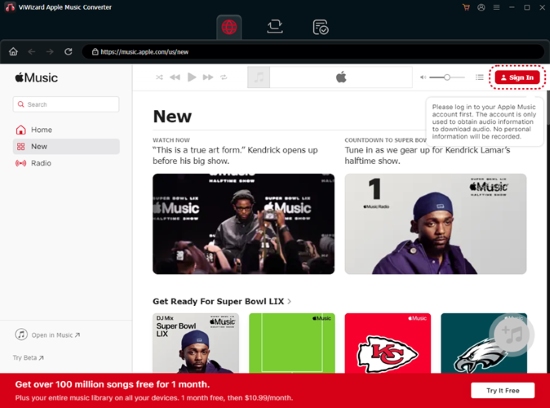
ViWizard Apple Music Converter is another well-known Apple Music audio converter designed for converting protected Apple Music tracks into multiple audio formats. It supports exporting Apple Music songs to MP3, M4A, WAV, FLAC, and M4B, making them compatible with a wide variety of devices.
One of Viwizard's main advantages is its fast conversion speed, which can reach up to 20× faster when processing large playlists. Our testing revealed it to be significantly more stable than competing converters. Furthermore, the software is also capable of maintaining the original ID3 metadata, including track title, album, artist name, and artwork, helping users keep their music collections organized.
In addition to basic conversion features, Viwizard provides several customizable output settings, such as bitrate, codec, sample rate, and audio channels. These options allow users to optimize the output files based on their preferred playback devices.
Despite its solid performance, the interface design feels somewhat simpler and less modern compared with newer Apple Music audio converters.
| Compatible OS | macOS and Windows |
| Free or Premium | Free trial available (Premium version starts from $19.95/month) |
| Pros to Use | ✅️ Convert Apple Music to WAV, FLAC, M4A, MP3, etc. |
| Cons to Accept | ❌ Free trial converts only the first 30 seconds of each track. ❌ Interface design is relatively basic. |
| Ratings | ⭐️⭐️⭐️⭐️ |
#6. NoteBurner Apple Music Converter
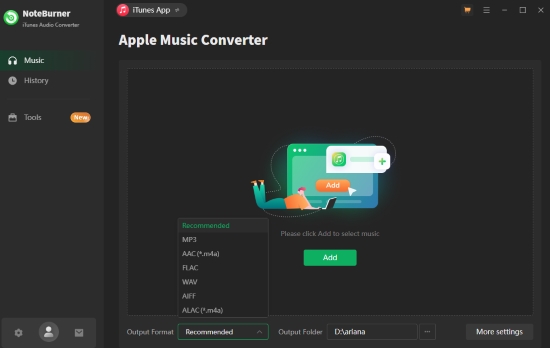
NoteBurner Apple Music Converter is a long-established audio conversion tool that allows users to convert Apple Music songs into various DRM-free formats. It supports exporting Apple Music tracks as MP3, AAC, WAV, AIFF, FLAC, and ALAC, enabling offline playback on multiple devices.
In addition to Apple Music, NoteBurner can also convert AA/AAX audiobooks to formats like MP3 or AAC for offline listening on devices such as iPhone 17, iPad Pro, iPod, Zune, PS5, MP3 players, and Fitbit Ionic.
The software also includes several useful features, such as ID3 tag editing, output file organization, and customizable audio parameters like bitrate and sample rate. With batch conversion support, users can convert multiple songs or entire playlists more efficiently.
NoteBurner claims to provide up to 10× faster conversion speed, making it possible to download large Apple Music playlists in a relatively short time. However, compared with some competitors, especially AudFree Apple Music Converter, it does not include a built-in web player and offers fewer advanced audio customization options. In addition, the actual conversion speed may vary depending on your device performance.
After launching NoteBurner on your computer, the program will sync with your Apple Music or iTunes library. Therefore, you need to add the songs to your library first before starting the conversion process.
| Compatible OS | macOS and Windows |
| Free or Premium | Free trial available (Premium version starts from $44.95/year) |
| Pros to Use | ✅️Convert Apple Music songs to MP3, AAC, WAV, AIFF, FLAC, and ALAC. |
| Cons to Accept | ❌ Free trial converts only a limited duration of each track (only first 1 minute). ❌ Workflow may feel slightly complex for beginners. |
| Ratings | ⭐️⭐️⭐️ |
#7. AudFree Audio Capture
AudFree Audio Capture is a versatile audio recording tool that allows users to record and convert audio from Apple Music and other streaming services. Unlike traditional Apple Music converters, AudFree Audio Capture operates by recording audio as it plays, then saving it in DRM-free formats like MP3, AAC, FLAC, WAV, and others (16+ formats).
While this method means AudFree Audio Capture may take longer to convert Apple Music compared to direct DRM removal tools, it compensates by offering more flexibility. You can capture audio from multiple sources, including Spotify, Tidal, SoundCloud, and more, making it a great all-in-one solution for music enthusiasts who use multiple streaming platforms.
One of the highlights of AudFree Audio Capture is its ability to preserve high-quality audio (up to 320kbps), ensuring that the sound quality is nearly identical to the original stream.
View also: How to Record Apple Music
Though it works great for recording music from various sources, AudFree Audio Capture does require that the streaming service is playing while it records. This can lead to longer conversion times, especially when working with large playlists or albums.
For users who want a multi-functional tool that handles not just Apple Music but other services as well, AudFree Audio Capture is an excellent choice. However, if you're primarily focused on Apple Music, tools like AudFree Apple Music Converter offer more direct, faster, and more efficient DRM removal and conversion.

| Compatible OS | macOS and Windows |
| Free or Premium | Free trial available (Premium version starts from $14.95/month) |
| Pros to Use | ✅️Capture audio from multiple streaming platforms. ✅️ Convert Apple Music to MP3, AAC, FLAC, WAV, etc. ✅️ High-quality audio preservation. ✅️ Easy-to-use interface. ✅️ Support to edit recorded audio tracks. |
| Cons to Accept | ❌ Conversion can take longer due to real-time recording. ❌ Limited to recording audio while streaming. |
| Ratings | ⭐️⭐️⭐️ |
#8. AudiFab Apple Music Converter
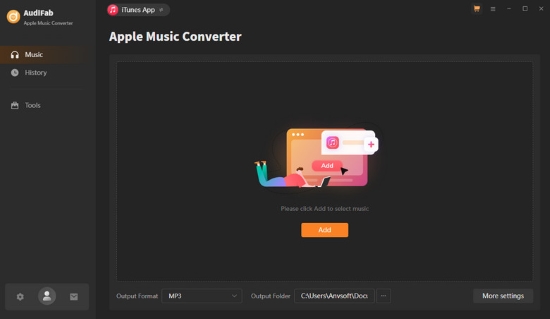
AudiFab Apple Music Converter is another reliable DRM removal tool for Apple Music users. Similar to other converters, it helps you convert Apple Music tracks into DRM-free formats such as MP3, M4A, AAC, WAV, and FLAC, making them playable on any device without restrictions.
AudiFab supports conversion speeds of up to 10× faster than real-time, which is convenient for users who need to process large libraries quickly. It also maintains high audio quality during the conversion process, although, like many converters, the maximum output quality is typically capped at 320kbps.
Additionally, the software can batch convert multiple Apple Music tracks at once and retains the original ID3 tags and metadata, such as artist name, album, and cover art.
| Compatible OS | macOS and Windows |
| Free or Premium | Free trial available (Premium version starts from $14.95/month) |
| Pros to Use | ✅️ Convert Apple Music to MP3, M4A, AAC, WAV, FLAC, and more. ✅️ Supports batch conversion of multiple tracks. ✅️ Fast conversion speed (up to 10× faster than real-time). ✅️ Retains ID3 tags and metadata |
| Cons to Accept | ❌ Limited customization for audio output settings. ❌ Maximum output quality is capped at 320kbps. |
| Ratings | ⭐️⭐️⭐️ |
Part 3. Best Free Apple Music Converter Online - AAPLmusicDownloader
If you prefer not to install any software on your computer, an online free solution like AAPLmusicDownloader can be a convenient alternative. This browser-based Apple Music downloader allows users to convert Apple Music tracks into downloadable audio files without installing additional programs.
Unlike desktop converters that require installation and setup, AAPLmusicDownloader works entirely online. You simply copy the Apple Music track or playlist link, paste it into the tool's input box, and the service will generate a downloadable audio file.
This type of online converter is particularly useful for users who only need to download a few songs occasionally, or for those who want a quick solution without installing a full application.

However, compared with professional desktop converters, online tools like AAPLmusicDownloader typically offer more limited features and performance. For example, they may restrict the number of downloads, limit output formats, or fail to process large playlists reliably. In addition, online tools usually cannot maintain the same high audio quality, batch conversion capability, or metadata preservation that advanced desktop converters provide.
In short, while AAPLmusicDownloader is a great free alternative for quick tasks, it lacks the power of a dedicated desktop tool. For uncompromising stability, superior output quality, and significantly faster conversion speeds, AudFree Apple Music Converter is the better choice for managing a large music library.
Completely free and web-based;
No software installation required;
Works on any operating system or browser;
Simple and beginner-friendly interface;
Suitable for quick, occasional downloads
Limited support for large playlists or batch downloads;
Output audio quality may vary;
Fewer format options compared with desktop converters;
May not always preserve full ID3 metadata;
Processing speed depends on server performance
Ratings: ⭐⭐⭐
Part 4. FAQs About Apple Music Converter
Is it legal and safe to use an Apple Music converter?
Using an Apple Music converter is generally legal for personal use, such as backing up your music library or listening offline on your own devices. However, distributing or sharing converted files may violate copyright laws and Apple Music's terms of service.
To ensure your digital safety, always download software from reputable developers like AudFree or ViWizard, which are free from bundled malware or security risks.
Are there any good Apple Music converters available for Android or iOS?
Currently, most Apple Music converters are designed for Windows or Mac computers. This is because DRM removal requires system-level processing that mobile platforms typically restrict. The most reliable method is to convert your music on a computer and then transfer the local files to your mobile device.
Alternatively, you can use web-based tools like AAPLmusicDownloader, which runs seamlessly on mobile browsers without requiring an app installation.
Are there any reliable open-source Apple Music converters available on GitHub?
While open-source projects like Gamdl or Apple-Music-Downloader exist on GitHub, they are generally not recommended for most users. These tools typically require technical knowledge of Python or command-line interfaces and frequently break when Apple updates its encryption. For a stable, one-click experience with dedicated technical support, a professional converter like AudFree is a much more reliable choice.
Will Apple Music lose audio quality when converted using an Apple Music converter?
The resulting audio quality is determined by your choice of converter and the selected output parameters. To preserve the original fidelity, you should opt for a converter that supports up to 24-bit/192kHz and select FLAC or WAV as your output format. This configuration ensures a bit-perfect, lossless conversion that is indistinguishable from the source.
Part 5. Conclusion: Which Is the Best Apple Music Converter
After reviewing the 9 Apple Music converters above, including desktop software and online tools, you may still wonder which one is the best choice. Each tool offers different strengths in terms of conversion speed, supported formats, audio quality, price, and flexibility.
To make the decision easier, the following comparison table summarizes the most important features of the converters discussed in this guide.
| Features | Operating System | Support Input Formats | Support Output Formats | Conversion Speed | Batch Conversion | Keep Lossless Quality | Keep ID3 Tags | Price | Ratings |
|---|---|---|---|---|---|---|---|---|---|
| AudFree Apple Music Converter | Windows/Mac | Apple Music | MP3, FLAC, M4A, WAV, AIFF, Lossless, M4B | 17× | ✅ | ✅ | ✅ | $14.95/month; $44.95/year; $89.95/lifetime | ⭐⭐⭐⭐⭐ |
| Free Apple Music Converter | Windows/Mac | Local M4P files | MP3, AAC, M4B, M4A, WAV, FLAC | 1× | ✅ | ✅ | ✅ | Free; $34.99/lifetime | ⭐⭐⭐ |
| TuneFab Apple Music Converter | Windows/Mac | Apple Music | MP3, M4A, FLAC, WAV | Up to 35× | ✅ | ✅ | ✅ | $25.95/month | ⭐⭐⭐ |
| UkeySoft Apple Music Converter | Windows/Mac | Apple Music | MP3, M4A, FLAC, AAC, AIFF, WAV | 16× | ✅ | ✅ | ✅ | $14.95/month | ⭐⭐⭐⭐ |
| Viwizard Apple Music Converter | Windows/Mac | Apple Music | MP3, M4A, WAV, FLAC, M4B, AIFF | 20× | ✅ | ✅ | ✅ | $19.95/month | ⭐⭐⭐⭐ |
| NoteBurner Apple Music Converter | Windows/Mac | Apple Music, iTunes music & audiobooks | MP3, AAC, WAV, FLAC, AIFF, ALAC | 10× | ✅ | ❌ | ✅ | $44.95/year | ⭐⭐⭐ |
| AudFree Audio Capture | Windows/Mac | Any audio source | MP3, FLAC, M4A, WAV, AAC, M4B, OGG, AC3, WMA, etc. | Real-time | ❌ | ❌ | ✅ | $14.95/month | ⭐⭐⭐ |
| AudiFab Apple Music Converter | Windows/Mac | Apple Music | MP3, M4A, AAC, WAV, FLAC | 10× | ✅ | ❌ | ✅ | $14.95/month | ⭐⭐⭐ |
| AAPLmusicDownloader | Online | Apple Music links | MP3, M4A | 1× | ❌ | ❌ | ❌ | Free | ⭐⭐⭐ |
Final Verdict
Choosing the best Apple Music converter depends on your needs.
- If you want the most powerful and feature-rich converter, AudFree Apple Music Converter is a strong choice thanks to its fast speed, high audio quality, and easy operation.
- If you prefer a free and lightweight option, Free Apple Music Converter or online tool like AAPLmusicDownloader can handle basic tasks.
- If you need flexibility and reliable performance, tools like TuneFab, Viwizard, or NoteBurner are also excellent alternatives.
Ultimately, the best Apple Music converter is the one that balances audio quality, speed, stability, and ease of use to match your music-listening workflow.

Staff Editor


