


Apple Music has been in the limelight for quite a long time. And it offers excellent integration with iOS. However, what if you are frustrated by the lack of a free plan on Apple Music, or not satisfied with its music discovery algorithms?
The good news is that you have plenty of choices, as now there are lots of music streaming services in the market. Today, we will list some Apple Music alternatives to you, compare them and help you select the one that meets your needs. Also, we will show you how to switch from Apple Music without losing your created playlists.

Part 1. Quick Comparison: Best Apple Music Alternatives at a Glance
Before we dive into the deep reviews, check the comparison table below to learn how these alternatives stack up against Apple Music in terms of price, audio quality, and features.
| Service | Best For | Offers Free Plan? | Max Audio Quality | Price | Transfer Difficulty |
|---|---|---|---|---|---|
| Spotify | Discovery & Social | ✅ | Lossless (up to 24-bit/44.1kHz) | $11.99/month | Easy |
| Tidal | Audiophiles & Video | ❌ | HiRes FLAC (24-bit/192kHz) | $10.99/month | Medium |
| YouTube Music | Video Bundle Value | ✅ | High (256kbps AAC) | $13.99/month | Easy |
| Amazon Music | Prime members | ❌ | Ultra HD (192kHz) | $9.99/month | Medium |
| Qobuz | Pure sound quality | ❌ | HiRes (24-bit/192kHz) | $12.99/month | Hard |
| Deezer | 'Flow' & Simplicity | ✅ | HiFi (16-bit/44.1kHz) | $11.99/month | Easy |
| Pandora | Passive Radio Listening | ✅ | Standard (192kbps) | $9.99/month | Hard |
| SoundCloud | Indie/Unsigned Music | ✅ | Varies | Free/$9.99/month | N/A |
| Bandcamp | Supporting Artists | ❌ | HiRes/Lossless | Per Purchase | Easy |
| iHeartRadio | Live Radio & Talk | ✅ | Standard radio | Free/$9.99/month | N/A |
Part 2. Spotify (Best for Music Discovery)
Spotify could be the best alternative to Apple Music. It offers both Free and Premium plans for users. It enables you to play any kind of music, playlist, album or genre when you most need it. You can fully enjoy playlists that are tailored to your preferences either using the Spotify free plan or the premium option. You will need some patience, as the free plan is generally supported by pop-up advertisements.

Key Features of Spotify App:
AI Discovery: Spotify AI DJ creates a personalized radio station that feels human. It introduces your favorite songs alongside new tracks with commentary, something Apple's "Siri" cannot match.
Spotify Connect: This feature allows you to play music on your PC and control the volume from your phone. You can hand off music to your PS5, Xbox, Google Home, or Sonos seamlessly. Apple Music's "AirPlay" is clunky by comparison.
Social Dominance: The "Collaborative Playlists" and "Jam" features make Spotify the default social music app. If you want to share a song, sending a Spotify link is the universal language.
Best-in-class music discovery algorithms;
Works on lots of compatible devices;
Offers a free tier
Interface can be cluttered with podcasts;
Limited features in the free plan;
Library management is less structured than Apple's
View also: Spotify vs Apple Music
Part 3. Tidal (Best for Audiophiles)
If you are an audiophile and own high-end headphones or a DAC (Digital-to-Analog Converter), Tidal would be your best alternative for Apple Music. Because it offers HiRes FLAC at up to 24-bit/192kHz quality, which is the cleanest and most dynamic sound on the market.

Key Features of Tidal App:
Higher Bitrate: Tidal streams up to 9216 kbps (24-bit/192kHz). While Apple matches these specs on paper, Tidal's integration with high-end audio gear (like Roon and dedicated streamers) is far better.
Clean Interface: It looks remarkably similar to Spotify but removes the podcast clutter. It feels premium and focused solely on music.
Video Content: Tidal offers over 450,000 high-definition music videos and exclusive live concert streams, which puts Apple's video offering to shame.
High streaming quality;
Offers music videos
No free plan;
Social community is not as good as Spotify
View also: Tidal vs Apple Music
Part 4. YouTube Music (Best for Video Addicts)
YouTube Music is bundled with YouTube Premium, which is huge value. You don't need to buy it alone. After a purchase, you can get ad-free videos across all of YouTube and a full-featured music streaming experience on YouTube Music.
Furthermore, you have the option to download any music for offline listening. Use it on your Android, iPhone or Windows operating system without much hassle.

Key Features of YouTube Music App:
The Unofficial Library: Apple Music only has official releases. YouTube Music has official songs plus covers, live sets, 10-hour study loops, and remixes that exist only on YouTube.
Switch to Video: With a single tap, you can switch from the audio track to the music video instantly without pausing the song.
Android Integration: If you have moved from iPhone to Android, YouTube Music is the native player that works perfectly with Google Assistant.
Largest library of niche/unofficial tracks;
Good discovery for trending music
Audio quality capped at 256kbps AAC;
Organization can be messy (mixing videos/songs)
View also: Best YouTube Music Downloader
Part 5. Amazon Music (Best for Smart Home)
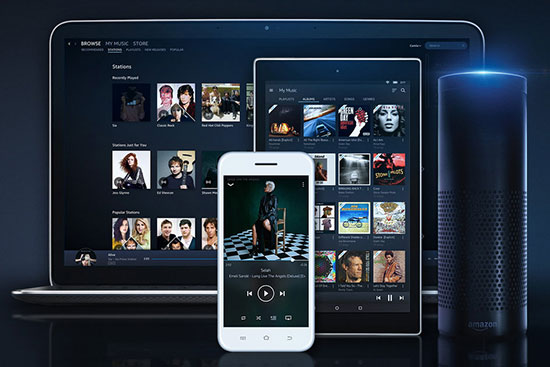
If your house is full of Alexa devices, Amazon Music Unlimited integrates tighter than Apple Music ever could. Plus, if you already have Prime, the discounted monthly rate makes it one of the cheapest premium options.
Key Features of Amazon Music App:
Price Advantage: Prime members pay less than the industry standard $10.99/mo.
Spatial Audio: Amazon has an aggressive library of Dolby Atmos and 360 Reality Audio tracks that sound fantastic on Echo Studio speakers.
X-Ray Lyrics: A unique feature that pulls trivia and "Behind the Music" facts while the song plays.
Cheaper for Prime members;
Best voice control with Alexa;
Streams HiRes quality
Mobile app UI is clunky and slow;
Search function is not as good as Spotify
View also: Amazon Music vs Apple Music
Part 6. Qobuz (Best for Sound Purists)
Unlike other music streaming services, Qobuz focuses on Sound. It is the niche favorite for jazz and classical listeners who want to replicate the experience of reading CD liner notes.

Key Features of Qobuz App:
Editorial Content: Instead of algorithmic playlists, Qobuz employs human musicologists to write articles, reviews, and biographies for albums. It feels like entering a high-end record store.
The Download Store: Unlike Apple Music, which only lets you "rent" streams, Qobuz has a store where you can buy and download DRM-free Hi-Res files to keep forever.
Best metadata for Classical and Jazz;
Support to buy DRM-free albums;
Offer the best audio quality
Pricier than other music services;
No smart features or AI;
Has less pop music
View also: Qobuz vs Apple Music
Part 7. Other Alternatives for Apple Music
Besides the top 5 Apple Music alternatives, there are more alternatives for you to choose from.
1. Deezer (The Balanced Choice)
Deezer offers CD-quality audio (Deezer HiFi) and a standout feature 'Flow'. It is an infinite mix of your old favorites and new recommendations. You can just click play 'Flow' on Deezer. Also, a built-in feature (like Shazam) that identifies songs playing around you and adds them instantly to your library.

View also: Deezer vs Apple Music
2. SoundCloud (Best for Finding Indie Music)
SoundCloud can be an Apple Music free alternative. It has much more to offer in terms of its number of tracks. You will find DJ sets, mashups, and unreleased demos here that copyright laws prevent from appearing on Apple Music. And it is pretty easy to create playlists as its user interface allows you swift navigation. And you can comment on specific timestamps of a song, creating a social listening experience.
Artists can easily upload their remixes, live sets and music for you to come in and enjoy the latest creations. This is topped up by the fact that you can follow any artist as well as your friends to see what they are listening to. Dive into SoundCloud, pausing, skipping and playing back your music as you wish.
However, the audio quality varies wildly and the user interface is chaotic.

View also: How to Download SoundCloud Songs
3. Pandora (Best for Radio Listeners)
This Apple Music alternative app is best for discovering stations as per your mood and activity. You pick an artist, and it plays music genetically similar to that artist. You can use it for offline playback on any of your devices ranging from iPhone, Windows, and Android operating systems, among others. This app also lets you follow and share your favorite playlists with friends.
But it offers low audio quality and limited on-demand control.

View also: Pandora vs Apple Music
4. iHeartRadio (Best for Broadcast Listeners)
This is among the Apple Music alternatives that will give you a double treat. When you think of crisscrossing between radio listening and music streaming, iHeartRadio has the solution. Tuning into radio when you are done with streaming your favorite tracks is a great functionality of this App.
Tune in and listen to regular podcasts and talk shows from great men and women of this world. The core radio feature is completely free, making it a great budget alternative to Apple Music's subscription-only model.

5. Bandcamp (The Ethical Choice)
If you dislike the low royalty rates paid by Apple and Spotify, Bandcamp is your alternative. It is a "Digital Record Store". When you buy an album on Bandcamp, 82% of your money goes directly to the artist. Besides, you can download DRM-free MP3/FLAC audio files and stream your purchases via Bandcamp app. And fans can leave reviews on albums and artists often message their fans directly.

View also: Best Bandcamp Downloader
Part 8. How to Choose the Right Alternative to Apple Music
Don't know which one to choose from? Use these tips to help you make up your decision.
For users who pursue audio quality, you must choose Tidal, Qobuz or Amazon Music Unlimited as they offer HiRes (24-bit/192kHz) audio.
For users who own smart ecosystems,
choose YouTube Music if you are Google or Android users;
choose Amazon Music if you are Alexa or Echo users;
choose Spotify if you are Windows or gaming users as it has the best Windows app and integrates with Discord, PlayStation, and Xbox for background music while gaming.
Part 9. How to Switch from Apple Music without Losing Your Playlists
If you have made up your mind switching from Apple Music to your desired music service, you may be fear of losing your Apple Music library. Besides, Apple Music downloads are encrypted, which can't be moved or played with other platforms or devices. And if you cancel your Apple Music subscription, these downloads will be inaccessible.
To help you out, AudFree Apple Music Converter shouldn't be missed. It is a professional tool to break DRM protection on Apple Music. Also, it will help convert Apple Music to common formats like MP3, FLAC, WAV, etc. locally and forever. What's more, it will keep 100% original quality and full ID3 tags of Apple Music tracks.

Now, learn how to convert and back up Apple Music files via AudFree Apple Music Converter on your computer.
Step 1. Download and open AudFree Apple Music Converter on your device. Then log in to your Apple Music account in the built-in web player.
Step 2. Tap Menu > Preferences > Conversion to change output audio format, bit rate, sample rate, etc.
Step 3. Choose and add Apple Music tracks into AudFree tool for converting.
Step 4. Press the Convert button on AudFree to start the conversion.
Once converted Apple Music files with this tool, you can transfer Apple Music to other music platforms for playback and backup.

Staff Editor


