


In the ever-evolving landscape of digital streaming, YouTube remains the undisputed king of audio-visual content. As one of the most popular music streaming platforms, YouTube Music provides millions of songs, albums, and playlists to its users. However, the limitation that users can't download music directly for offline listening in certain formats can be frustrating. To solve this problem, many turn to YouTube Music downloaders that allow you to enjoy your favorite tracks anytime, even without an internet connection.
This guide covers the best YouTube Music downloaders in three categories: overall performance, desktop/mobile tools, and online & free options. Whether you're looking for a versatile downloader or a simple solution, there's something for everyone.


Part 1. Best Overall YouTube Music Downloaders
For users who prioritize audio fidelity, batch processing, and a seamless user experience, professional-grade software remains the gold standard. These tools are designed to bypass the common pitfalls of free web-based tools, such as bitrate compression and intrusive ads, and gives such users an efficient download speed for permanent YouTube music access.
No 1. AudFree Streaming Music Downloader (Windows, Mac)
AudFree Streaming Music Downloader is arguably the best YouTube Music downloader for those seeking both efficiency and quality. This powerful software lets you download and convert music from YouTube Music, including playlists, albums, and individual tracks, into multiple formats such as MP3, FLAC, WAV, and AIFF. Additionally, you can get songs from other major streaming services, like Tidal, Spotify, Apple Music, etc.
View also: How to Convert YouTube Music to FLAC
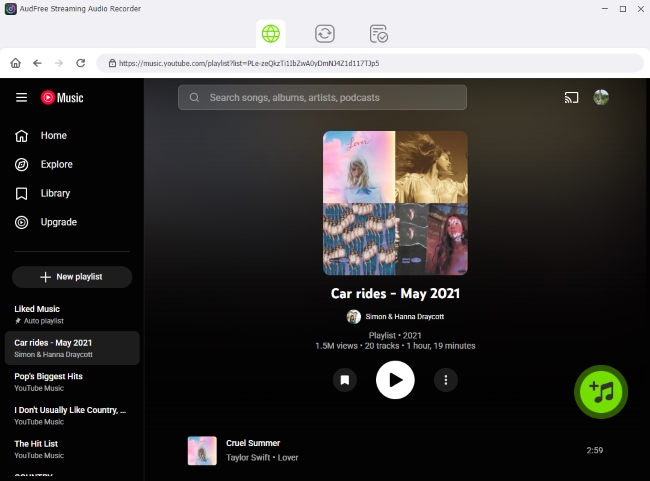
AudFree Streaming Music Downloader

- Fast downloading speed up to 30X speed
- Automatically recognize and retain ID3 tags
- Ad-free output with original audio quality
- Batch downloading option
- Lossless quality conversion from YouTube Music to WAV, FLAC, MP3, etc.
- Fully compatible with Windows & Mac
It balances a professional feature set with an interface that even a novice can navigate. It's a "set it and forget it" solution for building a high-quality offline collection. Due to the advanced decryption technology, it's particularly effective for downloading entire playlists or albums with a single click, saving hours of manual labor.
If you are serious about building a permanent offline YouTube Music library, this tool is the most reliable solution.
Here is a simple workflow for the best YouTube music downloader for your reference:
Pros and Cons of AudFree Streaming Music Downloader
Permanent local music files;
High audio quality output;
Stable performance without ads;
Supports batch playlist downloads;
Keeps metadata intact;
Long-term usage without limitations
Requires installation;
Full features require a paid license (free trial available)
No 2. AudFree Audio Capture (Windows, Mac)
If you're looking for greater flexibility beyond a standard YouTube Music downloader, AudFree Audio Capture is an excellent alternative. Instead of directly downloading files, this powerful streaming audio recorder captures sound in real time from YouTube Music and saves it in high-quality formats (16+ output options). It's especially useful if you want to record specific parts of songs, live sessions, interviews, or podcasts without downloading the entire track.
With AudFree Audio Capture, you can record and save music from YouTube videos, official music videos, and YouTube Music playback on both Windows and macOS computers. The recorded files can be exported to MP3, AU, OGG, FLAC, WAV, AAC, M4A, and more.
It includes a built-in trim and merge tool, allowing you to cut out unwanted segments (like video intros or ads) before finalizing the file.
In addition to YouTube Music, it also works with other popular video and streaming platforms, including Facebook, Dailymotion, Tidal, and Deezer. This makes it a versatile solution if you want a universal streaming audio recorder rather than a YouTube-only tool.

If you need flexibility beyond YouTube Music, or prefer a universal streaming audio recorder, this tool will be ideal for you.
Below is a simple workflow for using this YouTube Music recorder:
Pros and Cons of AudFree Audio Capture
Works with almost any streaming platform;
Offers 16+ flexible audio output formats;
Maintains high sound quality during recording;
Clean and user-friendly interface
Real-time recording (slower than direct downloading);
Requires manual playback during recording;
Paid software (free trial available)
Part 2. Best Desktop/Mobile YouTube Music Downloader Tools
If you prefer a dedicated YouTube Music downloader installed on your computer or mobile device, desktop and app-based solutions typically offer better stability, faster speeds, and deeper system integration than online tools. Below are some of the most reliable options for Windows, Mac, Linux, and even Android users.
No 3. MediaHuman YouTube Downloader (Windows, Mac, Linux)
MediaHuman YouTube Downloader is also a top contender for the best YouTube Music downloader on PC. It is highly recommended for users who prefer a simple yet reliable tool for downloading music directly from YouTube. This software allows you to download YouTube Music content and convert it into MP3 or MP4 formats, with support for resolutions up to 4K and even 8K for video. For music lovers, its audio extraction feature makes it easy to build an offline library in just a few clicks.
One standout feature is its seamless integration with Apple Music and iTunes. You can configure MediaHuman to automatically export downloaded tracks directly to your music library, which is especially convenient for iPhone and iPad users who sync their collections regularly.
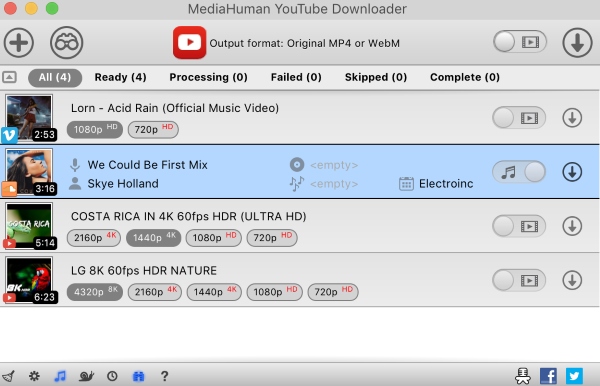
Pros and Cons of MediaHuman YouTube Downloader
One-click download for playlists and entire channels;
Converts YouTube Music into popular formats like MP3 and MP4;
Cross-platform compatibility (Windows, Mac, and Linux);
Batch download support;
Free version available
Occasional delays in updates;
Limited advanced audio customization options;
Full functionality requires paid upgrade
No 4. Freemake Video Downloader (Windows, Mac)
For over a decade, Freemake has been a staple in the downloading landscape, boasting a massive user base of over 93 million. Although primarily known for video downloads, it also makes it easy to extract audio from YouTube Music.
Freemake Video Downloader supports downloading content not only from YouTube but also from over 10,000 other websites. It handles HD and 4K video quality, making it a versatile option for both audio and video collectors.
If your main goal is to convert YouTube Music to MP3, the Free YouTube to MP3 Converter may be more suitable. It supports batch conversion of multiple YouTube links and allows audio export up to 320 kbps bitrate.
Additionally, Freemake stands out for its extensive format compatibility. It can convert files into more than 500 formats, including presets optimized for older MP3 players and specific mobile devices. The "One-Click Mode" lets you preset your preferred quality and destination folder so that future downloads happen instantly.

Pros and Cons of Freemake Video Downloader
One-click playlist and channel downloads;
Supports a wide range of audio and video formats;
Supports HD and 4K downloads;
Batch processing available;
500+ output format presets
Free version may include watermarks on video files;
Download speeds can be limited in the free version;
Advanced features require the paid 'Mega Pack';
Less advanced audio parameter customization
No 5. 4K YouTube to MP3 (Windows, Mac, Linux, Android)
If you are looking for a streamlined, audio-centric solution, 4K YouTube to MP3 is arguably the best tool on the market. Unlike bloated video suites, this software focuses specifically on extracting clean audio in MP3, M4A, or OGG formats. It isn't limited to YouTube either; it easily handles audio extraction from Vemeo, SoundCloud, and Facebook.
As the name suggests, it specializes in extracting high-quality audio from YouTube videos quickly and efficiently.
For mobile users, this tool is a lifesaver. It features a dedicated Android app and offers a direct-to-device transfer mode for iPhone and iPod users, making it easy to carry your playlists wherever you go without needing a constant data connection.

Pros and Cons of 4K YouTube to MP3
Extracts audio in the highest quality available from the source;
Available for Windows, macOS, Linux, and Android;
One of the few professional tools with a dedicated mobile application;
Automatically creates subfolders for different playlists and channels;
Simple and lightweight interface
You cannot tweak advanced codec settings (like VBR vs CBR);
The free version limits the number of tracks you can download per playlist;
High-resolution downloads can occasionally hang if the internet connection fluctuates
Part 3. Best Online & Free YouTube Music Downloaders
If you don't want to install any software, online YouTube Music downloaders can be a quick and convenient alternative. These web-based tools work directly in your browser, allowing you to convert YouTube Music to MP3 or other formats simply by pasting a link.
However, compared to desktop YouTube Music downloader tools, online services typically offer fewer customization options, slower speeds, and more ads. They are best suited for occasional downloads rather than building a large offline music library.
Below are four popular online and free YouTube Music downloaders worth considering.
No 6. Online Video Converter
Online Video Converter is one of the most widely used browser-based tools for converting YouTube videos into audio or video files. Since this online tool is completely free, it requires no installation and is fully compatible with Windows, macOS, Linux, and even mobile browsers.
Users simply paste the YouTube Music link, choose an output format (such as MP3 or MP4), and start the conversion process. The tool is especially useful when you need a quick MP3 file without installing a desktop application.

Pros and Cons of Online Video Converter
Completely web-based (no installation required);
Compatible with desktop and mobile browsers;
Supports both audio and video output (MP3 and MP4);
Free to use
Ads may interrupt the process;
Slower conversion speeds during peak hours;
Limited audio quality customization;
No batch download support;
Only available for some public videos
No 7. SaveFrom Video Downloader
SaveFrom Video Downloader is another well-known online YouTube downloader that enables users to download videos or extract audio directly from YouTube links. It also provides a browser extension for quicker access, making the download process more convenient.
The workflow is straightforward: paste the YouTube URL, choose your preferred format, and click download. It supports multiple video resolutions and audio formats, giving users slightly more flexibility than many other free online YouTube Music downloaders.
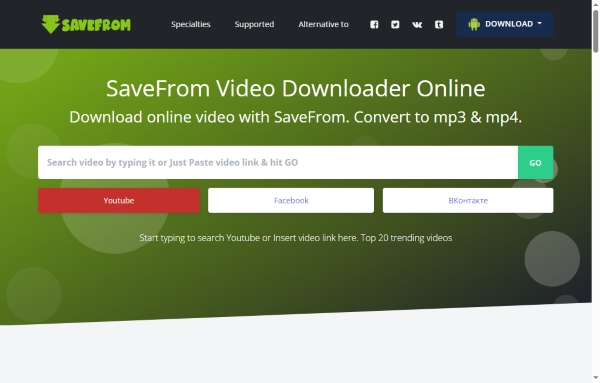
The original SaveFrom.net website reportedly shut down in 2020. Since then, several similarly named domains (such as https://www.savefrom.to/800) have appeared, offering comparable services. Users should be cautious when visiting these sites. For privacy and security reasons, avoid downloading any additional apps or browser extensions from unofficial sources. If you prioritize stability and safety, a professional desktop tool like AudFree Streaming Music Downloader is generally a more reliable alternative.
Pros and Cons of SaveFrom Video Downloader
Supports multiple resolutions and formats;
Allows audio-only export;
Subtitle download option available for some videos;
No registration required
Heavy advertisements and redirect pages;
Quality options may vary depending on the video;
Occasional download failures;
Not ideal for large playlists
No 8. TubeMusic Audio Downloader
TubeMusic Audio Downloader is designed specifically for extracting audio from YouTube videos. Unlike broader video download platforms, it functions primarily as a YouTube Music to MP3 converter, focusing on simplicity and speed.
The download process is extremely easy: paste the YouTube Music link, click convert, and download the generated MP3 file. Because it specializes in audio extraction, the workflow feels cleaner and more streamlined for users who only need music files rather than video content.
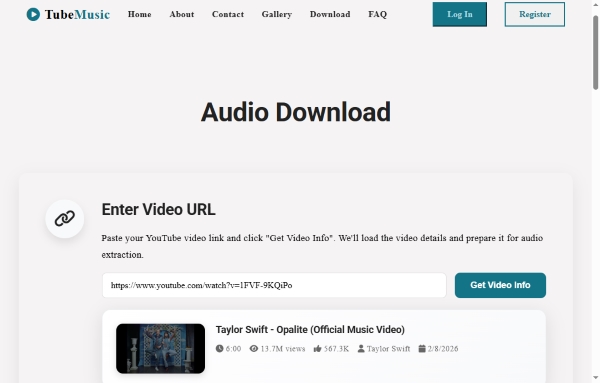
Pros and Cons of TubeMusic Audio Downloader
Simple and clean interface;
No registration required;
Designed specifically for MP3 extraction;
Free and unlimited usage (subject to site limits)
Usually limited to MP3 format only;
Bitrate options are often fixed and not customizable;
Ads and pop-ups may appear;
No batch playlist support
No 9. Y2Mate
Y2Mate is one of the most popular free online YouTube downloaders available today. It supports both video and audio downloads, allowing users to export content in formats such as MP3 and MP4 directly from YouTube or YouTube Music links.
One of Y2Mate's main advantages is its relatively fast conversion speed compared to many browser-based competitors. It also lets users select different quality levels before downloading, providing slightly more flexibility than MP3-only tools.

Pros and Cons of Y2Mate
Simple and beginner-friendly workflow;
Supports MP3 and MP4 formats output from YouTube and YouTube Music;
No sign-up required;
Fast conversion speed
Frequent ads and redirect pages;
Download stability may vary;
Limited control over advanced audio parameters;
No official mobile app
Overall, while SaveFrom, TubeMusic, and Y2Mate are convenient free YouTube Music downloader options, they are best for occasional use. For consistent performance, higher audio quality, and better privacy protection, dedicated desktop software remains the more dependable solution.
Part 4. Comparison of Best YouTube Music Downloaders
To help you quickly identify the right YouTube Music downloader for your needs, the table below compares all nine tools based on platform compatibility, output formats, audio quality, batch support, ease of use, and overall reliability.
| Downloader | Platform | Output Formats | Audio Quality | Batch / Playlist Support | Ads | Best For | Overall Reliability |
|---|---|---|---|---|---|---|---|
| AudFree Streaming Music Downloader | Windows, Mac | MP3, FLAC, WAV, AIFF, etc. | Lossless | ✅ | ❌ | Building a permanent offline YouTube Music library | ⭐⭐⭐⭐⭐ |
| AudFree Audio Capture | Windows, Mac | MP3, AU, OGG, FLAC, WAV, AAC, M4A (16+) | Lossless | ❌ (real-time capture) | ❌ | Recording from multiple streaming platforms | ⭐⭐⭐⭐ |
| MediaHuman YouTube Downloader | Windows, Mac, Linux | MP3, MP4 | High-quality up to 4K/8K (video) | ✅ | ❌ | Easy playlist downloads with Apple Music/iTunes sync | ⭐⭐⭐⭐ |
| Freemake Video Downloader | Windows, Mac | MP3, MP4, 500+ formats | Up to 320 kbps (audio) | ✅ | ⚠️ Ads / watermark in free version | Format flexibility & device presets | ⭐⭐⭐ |
| 4K YouTube to MP3 | Windows, Mac, Linux, Android | MP3, M4A, OGG | High-quality (up to 320 kbps) | ✅ | ❌ | Fast MP3 extraction with mobile support | ⭐⭐⭐⭐ |
| Online Video Converter | Web-based | MP3, MP4 | Standard quality | ❌ | ⚠️ Heavy ads | Quick one-time conversion | ⭐⭐ |
| SaveFrom Video Downloader | Web-based | MP3, MP4 | Varies by source | ❌ | ⚠️ Heavy ads & redirects | Fast casual downloads with flexible options | ⭐⭐ |
| TubeMusic Audio Downloader | Web-based | MP3 only | Fixed bitrate | ❌ | ⚠️ Accasional ads | Simple MP3-only extraction | ⭐⭐ |
| Y2Mate | Web-based | MP3, MP4 | Standard to high (varies) | ❌ | ⚠️ Frequent ads | Fast browser-based downloads | ⭐⭐ |
If you only download occasionally, online YouTube Music downloaders like Y2Mate or Online Video Converter can handle simple tasks. However, for serious users who value audio fidelity, stability, privacy, and long-term offline access, professional desktop tools - especially AudFree Streaming Music Downloader - remain the most reliable and future-proof solution.
Conclusion
When it comes to downloading music from YouTube Music, there are various tools to suit different needs and preferences. If you're looking for a premium experience, AudFree Streaming Music Downloader stands out for its high-quality conversions and batch downloading capabilities. On the other hand, if you prefer an online, free solution, tools like SaveFrom Video Downloader or Y2Mate offer quick downloads with minimal hassle.
Ultimately, the best downloader depends on your priorities - whether it's audio quality, ease of use, or cost. Try out a few of these options to determine which one best suits your needs, and start enjoying your YouTube Music offline today!

Staff Editor


