


Quick Answer: Eevee Spotify is an unofficial Spotify MOD for iOS and iPadOS. However, EeveeSpotify was discontinued due to a DMCA takedown and it is not working anymore. However, community developers continue to work on various forks, including EeveeSpotifyReincarnated, a project that released an updated version in October 2026. If you're looking for an alternative to Eevee Spotify to enjoy Spotify Premium features, tools like AudFree Spotify Music Converter can convert Spotify music into local audio files for offline playback forever without Premium.
"Eevee Spotify IPA not working?" There are many iOS users scoured Reddit for a fix. In today's post, we will introduce the latest information about Eevee Spotify to you. Also, you will learn its limitations, its risks. What's more, we will recommend a great alternative to Spotify Eevee for users who want to save Spotify music as local files.


Part 1. Eevee Spotify: What Is It and Is It Still Working?
What Is Eevee Spotify and How Does Eevee Spotify IPA Work?
Eevee Spotify is a popular Spotify IPA tweak on iOS and iPadOS. That means it is an unofficial and modified version of the standard Spotify app. It is developed based on SpotilifeC, which helps users to get Spotify Premium free on iPhone/iPad. You can just download and install Spotify Eevee Spotify from GitHub. With it, you can unlock almost all Spotify Premium features for free on your iOS devices. Also, it supports lyrics for many songs.
View also: Spotilife IPA Review
Is Spotify Eevee Still Working? (Current Status)
No, Eevee Spotify is not working now. When you are trying to download it from the original GitHub repository (whoeevee/EeveeSpotify), you will find that the IPA files are gone. That is because the copyright claims forced the removal of the compiled app files in August 2025.
However, community development efforts are still ongoing. EeveeSpotifyReincarnated on GitHub is one such example; its maintainer continues to update the plugin to ensure compatibility with newer versions of Spotify, with a new release published on October 5, 2026. It should be noted, however, that this does not mean all older versions of Eevee Spotify remain supported.
In the release notes for October 2026, the EeveeSpotifyReincarnated project explicitly states support for Spotify version 9.1.x. Other forks may target different Spotify versions or offer different features. If you wish to verify whether a specific version is still being maintained, please check its code repository and release notes. Look for details such as the date of the latest release or code commit, the specific Spotify versions supported, known issues reported by users, and any installation guides or compatibility requirements provided by the developer.
Besides, you can use the EeveeSpotifyReborn version (often labeled as SpotveeC or SpotCompiled). This community-maintained branch has updated the code to support the latest iOS versions, including iOS 18. If you download and install an older version from an unofficial website, it will likely crash immediately due to incompatibility with Apple's latest security protocols.
Please exercise caution when using third-party IPA installation files, as they may not always be authentic or secure.
Key Features of Eevee Spotify
1. Ad-Free Music Listening Experience: With Spotify Eevee iOS, you can say goodbye to annoying audio and visual ads in Spotify while listening to music.
2. On-Demand Playback and Unlimited Skips: You can skip as many songs as you like - no limits. Also, you can choose specific songs for streaming without being forced to shuffle albums.
3. High-Quality Audio Streaming: You can access better sound quality of Spotify music (usually 320kbps) without subscribing to Premium plan.
4. Enable Lyrics Unlimited: It works with three lyrics providers (Genius, LRCLIB and Musixmatch), so you can view lyrics of many Spotify songs.
View also: How to View Lyrics on Spotify
5. Support Multiple Languages: In the latest Eevee Spotify version, it supports multiple popular and native languages.
Part 2. How to Download and Install Eevee Spotify on iOS
So, how to install Eevee Spotify on your iPhone or iPad device? No worries. In this tutorial, we will walk you through how to do that step by step.
Section 1. Sideload Eevee Spotify IPA via AltStore
Step 1. Download and install AltServer on your Windows or Mac computer. (Note: On Windows, you must install the non-Microsoft Store versions of iTunes and iCloud as well.)
Step 2. Open AltServer and hit its icon in your Windows system tray or Mac menu bar.
Step 3. Connect your iOS device to your computer via a USB cable and trust the connection on your device.
Step 4. On your computer, click 'Install AltStore' in the AltServer menu and choose your connected iOS device to install it on your iOS device. Later, you will be asked to enter your Apple ID info.
Step 5. Once AltStore appears on your iOS device's home screen, open it. You may get the 'Untrusted Developer' error. In this case, you need to go to your iOS device's Settings > General > VPN & Device Management > your Apple ID > Trust to allow the installation.

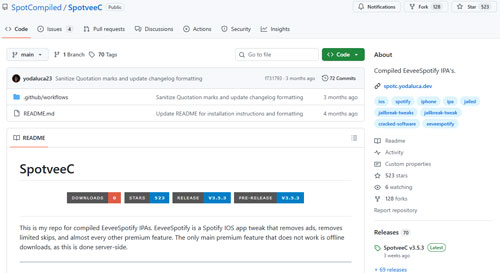
Step 6. On your iOS device, open Safari and search for the 'EeveeSpotifyReincarnated', 'SpotCompiled' repository or 'SpotveeC IPA'. Then download the latest version of .ipa file under the Releases section. Or, you can directly visit EeveeSpotifyReincarnated from GitHub or SpotveeC from GitHub.
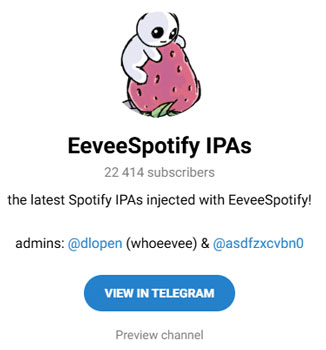
By the way, you can join the official Telegram channel 'EeveeSpotify IPAs', 'SpotilifeIPAs' or 'SpotCompiled' to get the file for free instantly.
Step 7. Open the AltStore app on your iOS device and go to the 'My Apps' section.

Step 8. Tap the + icon in the top-left corner and choose the EeveeSpotify IPA file you just downloaded. Then AltStore will proceed to install it on your device.
Step 9. Once installed, you will get Eevee Spotify iOS app on your device to access Spotify Premium free.
You can also use SideStore or TrollStore to help download and install Spotify Eevee IPA on your iOS device.
Section 2. How to Use Eevee Spotify on iOS
Step 1. Open the Eevee Spotify iOS app on your mobile device.
Step 2. Log in to your Spotify account.
Step 3. Browse and find any music content that you want to play. At last, you can play and access Spotify music without any limits just like a Premium user.
Part 3. Risks and Limitations of Using Eevee Spotify
While Eevee Spotify sounds great on paper, you may wonder if it is safe and legal to use. In fact, it comes with some significant downsides.
1. Legal and Ethical Concerns: Using modded apps may violate Spotify's Terms of Service. Spotify may suspend or ban your account permanently.
View also: How to Get Back Suspended Spotify Account
2. Security Risks: Downloading apps from unofficial sources may expose your device to malware or tracking.
3. No Official Support: You won't get help from Spotify Official Support if something goes wrong.
4. 7-Day Revokes and Crashes: Since Apple doesn't sign these apps, they may crash or stop working without warning. And the free developer certificates used by AltStore and Sideloadly only last for 7 days. You must reconnect your phone to your computer and 'refresh' the EeveeSpotify app in AltStore every week. Otherwise, the app will stop working and you need to reinstall it from scratch.
5. Difficult to Install: It is quite hard for newbies to download and install Eevee Spotify IPA on iOS.
6. Less Customizable Features: Spotify Eevee doesn't support to adjust the streaming audio quality.
View also: How to Change Spotify Bitrate
7. No Offline Mode: EeveeSpotify IPA doesn't allow to download music from Spotify for offline playback. Though it lets you toggle the 'Download' switch, this is only a superficial feature. While trying to download music, Spotify server needs to verify your account status. As you are a free account user, you are not allowed to download music.
Part 4. Best Alternative to Eevee Spotify IPA
Spotify Eevee was a nice way to get Spotify Premium for free. Yet, it is not working now and other versions are difficult to install for many users. Besides, there are some cons of EeveeSpotify iOS. So, to help you, here is a professional alternative to Eevee Spotify for you. You can try AudFree Spotify Music Converter.
This tool allows you to batch download any audio content like playlists, albums, podcasts, audiobooks, and more from Spotify without ads and without a Spotify Premium plan legally. At the same time, it can convert Spotify music to MP3, AIFF, FLAC, WAV and more audio formats with original quality and full ID3 tags. Besides, it can work at a rapid conversion speed. After downloading, you can listen to ad-free Spotify music files with unlimited skips. By the way, you can transfer local Spotify music to other devices for offline playback with ease.
How to Use AudFree Spotify Music Converter
Now, click the Try It Free button below to download and install AudFree Spotify Music Converter free trial version on your Windows or Mac computer. Later, follow the steps below to learn how to use it.
Step 1. Add Spotify Music to AudFree Spotify Music Converter
Open AudFree Spotify Music Converter, find the content you like in the built-in Spotify web player and tap it. Then click the '+ ♫' icon at the right on the screen. Next, press the 'Add to list' button in the Converting list window to import music.
Step 2. Customize Output Format and Quality
Touch the Menu icon at the top right on the AudFree tool, select "Preferences > Conversion", and then you reset the output format and quality. After that, hit OK.

Step 3. Start Spotify Music Conversion
Now, go to the Converting window and click the "Convert" button. Then AudFree program will begin the downloading and conversion process. At last, you will get local Spotify audio files. Then you can transfer Spotify music to iPhone or other devices to listen to Spotify offline.
Compare Eevee Spotify vs AudFree Spotify Music Converter
Which method is right for you? To help you out, we have compared them with the most important factors in the table below.
| Features | AudFree Spotify Music Converter | Eevee Spotify |
|---|---|---|
| Compatible OS | Mac/Windows | iOS and iPadOS |
| Jailbreak Required | ❌ | ❌ |
| Safe & Easy to Use | Safe and simple to use | Unsafe and difficult |
| Ad-Free Listening | ✅ | ✅ |
| Need Spotify Account Authorization | ❌ | ✅ |
| Technical Support & Updates | ✅ | ❌ |
| Supported Content | Songs, Podcasts, Audiobooks, Playlists, etc. | Songs |
| Supported Output Format | MP3, AIFF, WAV, FLAC, M4A, M4B | N/A |
| Stability | High | Low |
| Output Quality | Lossless (Up to 320kbps) | High |
| Offline Downloads | ✅ | ❌ |
| Price | Paid (Free trial available) | Free |
Choose AudFree Spotify Music Converter if you want to download and keep Spotify songs permanently in MP3 or other audio formats, prefer a legal, stable, and secure method, and you're okay with using a desktop program and paying for a license.
Choose Eevee Spotify IPA if you want Spotify Premium features for free on your iPhone, you're comfortable with jailbreaking, sideloading, or using unofficial app installers and you're willing to accept the legal and security risks involved.
Part 5. FAQs about Eevee Spotify
Do I Need to Jailbreak my iPhone or iPad to Install Eevee Spotify?
Not necessarily. You can download and install Eevee Spotify using third-party tools like AltStore, Sideloadly, etc., without jailbreaking.
Can I Get Eevee Spotify Android App?
No. Eevee Spotify IPA is specifically designed for iOS devices only. Android users might find similar modded apps (like xManager Spotify or other Spotify MOD APKs).
View also: Spotify Premium APK Review
Can I Install EeveeSpotify without a Computer?
Yes, you can install it directly on your iPhone using a third-party signing app like Scarlet or Esign. But it is not as stable as using a computer.
How to Update EeveeSpotify without Losing Data?
Do not delete the old app. Simply download the new SpotCompiled IPA file and install it using the same sideloading tool (e.g., AltStore, SideStore) you used originally. This will overwrite the old version while preserving your login details and settings intact.
How to Fix EeveeSpotify Crash on iOS 18?
This may be caused by older versions of the app that is incompatible with the new system. You can just update the latest SpotCompiled version (releases with Swift 6.2 or iOS 18 support) from GitHub and sideload it over your current one. If it crashes when opening, you can reinstall your certificate via computer. If it crashes while playing music, go to EeveeSpotify Settings > Reset Data to delete corrupted cache files.
Part 6. Conclusion
Eevee Spotify IPA is not working currently, though you can get other similar versions to it. From security concerns to possible account bans and offline playback limitations, it's important to weigh the pros and cons before diving in. If you decide to give it a try, proceed with caution. Otherwise, you can try the best alternative - AudFree Spotify Music Converter. It is best for users who value offline listening and account safety. It supports to download and listen to Spotify music offline anytime and anywhere safely and permanently without premium.

Chief Editor


